Order-level net profit
Calculate profit on each Shopify order after product costs, shipping, payment fees, and Shopify transaction fees.
 Profit GuardInstall app
Shopify profit tracker
Profit Guard calculates order-level net profit in real time, then alerts you when COGS, shipping, payment fees, or discounts turn a sale into a margin leak.
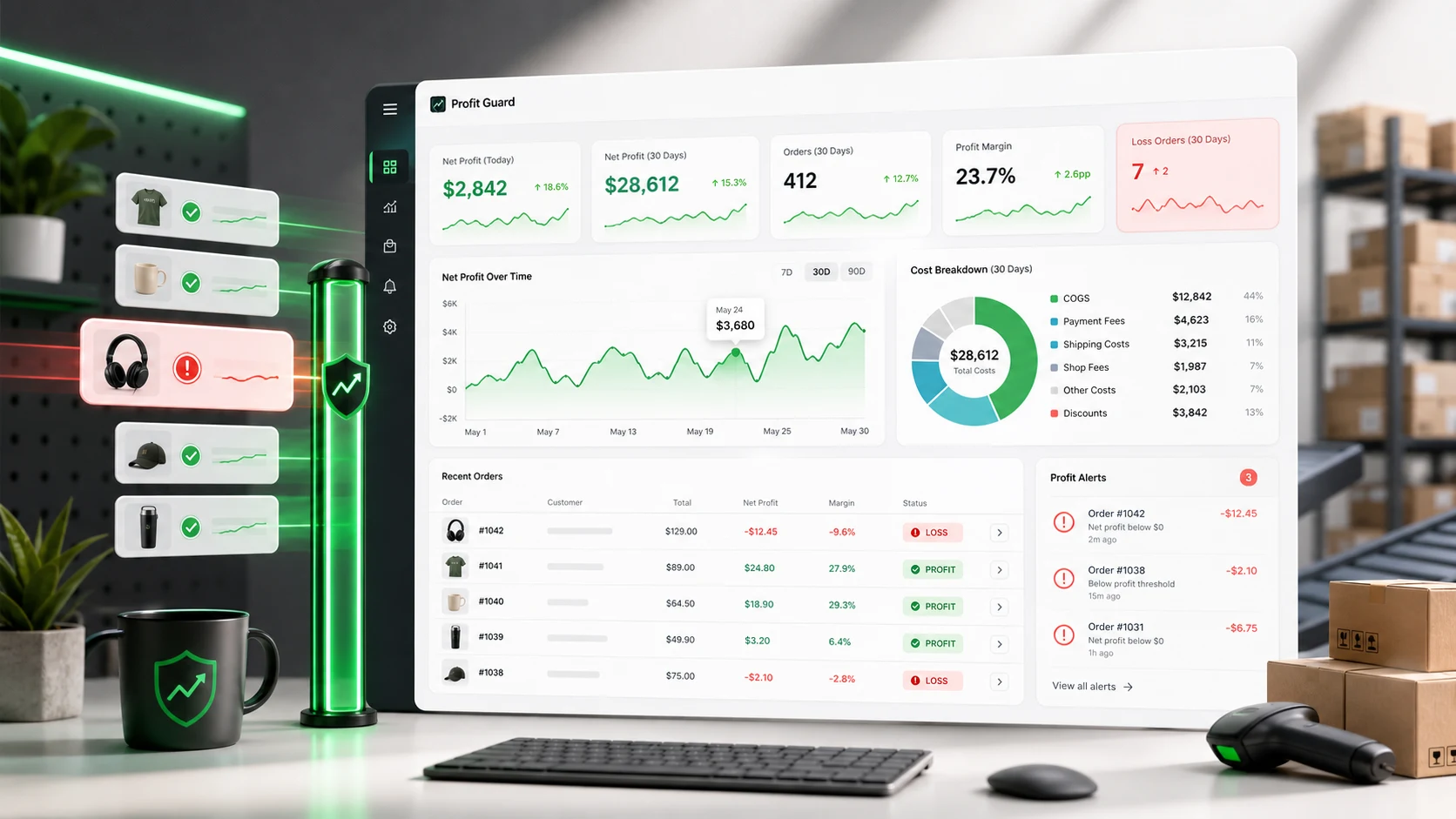
Revenue is not profit
Bring the order, product, shipping, and fee math together so your team can see what happened without rebuilding the numbers by hand.
Built for margin control
Surface the exact order, product cost, fee, and threshold that changed the margin, then act before the pattern repeats.
Calculate profit on each Shopify order after product costs, shipping, payment fees, and Shopify transaction fees.
Flag orders that fall below your profit threshold so you can fix prices, shipping rules, or product costs quickly.
Set cost of goods sold at the variant level and keep margin math aligned with how your catalog actually sells.
Test selling prices before you launch or discount a product and see the expected margin before the order happens.
Bulk update product costs from a spreadsheet and export profitability data for deeper reporting.
Free to install with paid plans handled by Shopify App Pricing, so merchants keep a familiar checkout flow.
From sale to net profit
When an order misses your threshold, Profit Guard turns the breakdown into a clear next move: update COGS, adjust shipping, change discount rules, or reprice the product.
Start tracking order profitWhy profit-first tracking wins
Workflow
Orders flow into Profit Guard automatically after install.
Enter costs by product or variant, then tune shipping and fee assumptions.
Review order profit and act when a sale drops below your threshold.
Pricing
$0
For stores getting started
$19
Per month after trial
$39
For scaling stores
FAQ
A Shopify profit tracker calculates what each order actually earns after costs like COGS, shipping, payment processing, discounts, taxes, and Shopify transaction fees. Profit Guard focuses on order-level net profit and alerts.
No. Shopify Analytics is useful for revenue and store performance, while Profit Guard adds cost-aware profit calculations so you can see whether orders are making money.
Yes. Profit Guard supports product and variant-level COGS, which helps merchants with bundles, sizes, colors, and supplier-specific costs keep margin calculations accurate.
Use profit alerts when discounts, shipping costs, product costs, or processing fees can turn a healthy-looking order into a low-margin or negative-margin order.
Protect your margin