Now live on the Shopify App StoreFree plan plus 7-day trial
 Profit GuardAdd to Shopify
Shopify profit tracker
Stop guessing which Shopify orders make money.
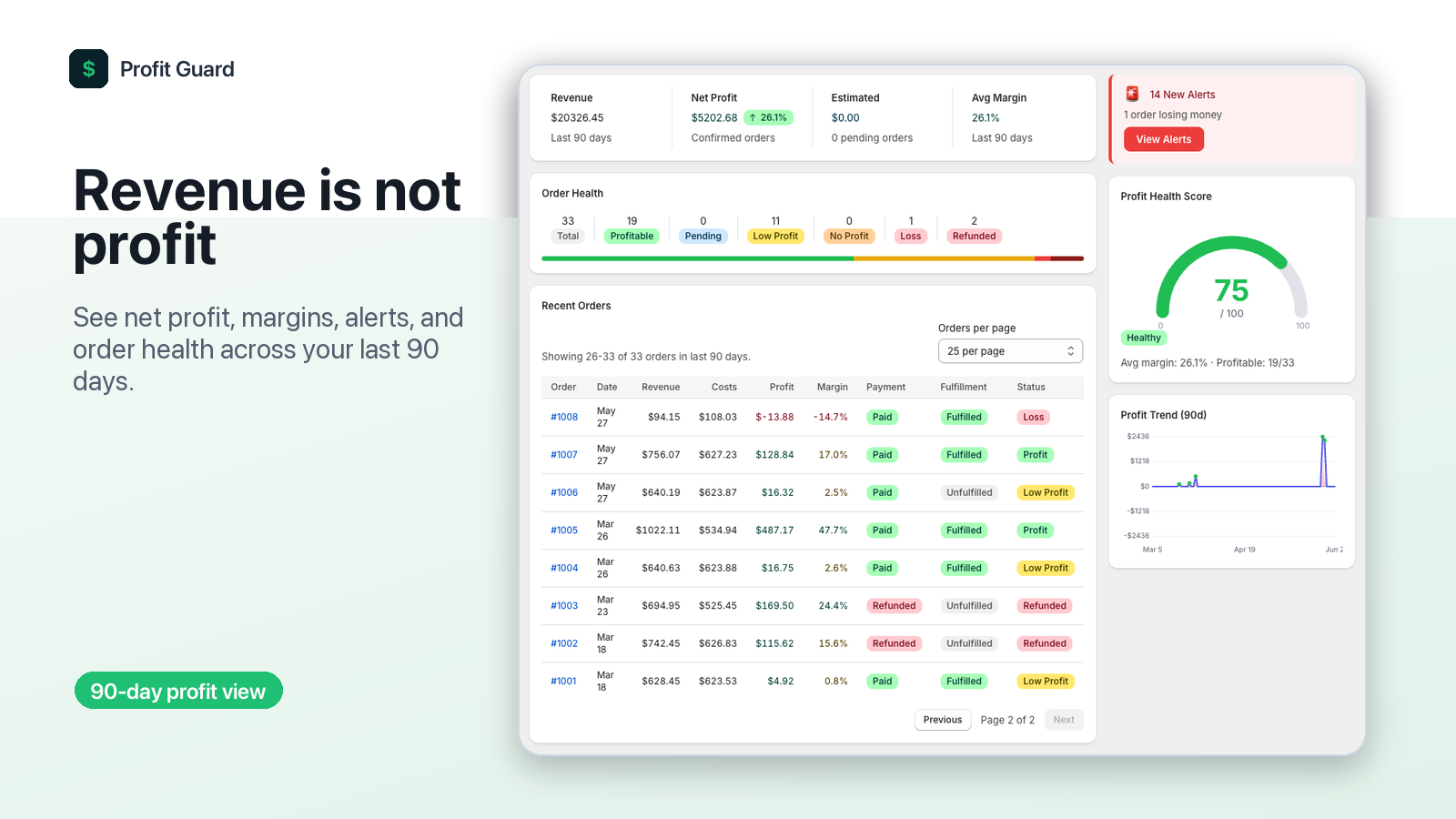
Profit Guard shows what you actually keep after COGS, shipping, payment fees, Shopify fees, discounts, and refunds. Sync up to 90 days of orders, monitor order health, and test prices before margin leaks become habit.
- Free plan available
- 90-day order sync
- COGS, fees, shipping, and refunds
90 daysof orders synced
6 costsrolled into each profit view
$0free plan to start
7 daystrial on paid plans
Revenue is not profit
One clean view of the costs that quietly eat Shopify margin.
Bring product costs, shipping, fees, discounts, and refunds together so every order shows a real margin instead of another revenue-only number.
Built for margin control
Profitability software for merchants who need answers per order.
Find the exact order, product cost, refund, fee, or threshold that changed margin, then act before the same problem repeats.
Order-level net profit
See what each synced order actually keeps after product costs, shipping, payment fees, Shopify fees, discounts, and refunds.
Low-profit and loss alerts
Catch orders that fall below your profit threshold so you can fix prices, shipping rules, or product costs before the pattern repeats.
COGS by product or variant
Set cost of goods sold at the variant level and keep margin math aligned with how your catalog actually sells.
90-day order sync
Pull recent order history into one dashboard so you can review profit trends without rebuilding reports by hand.
Price simulator
Search products and SKUs, test selling prices, and preview expected margin before changing prices or launching discounts.
CSV and PDF reporting
Bulk update product costs from a spreadsheet, export profitability data, and generate reports for deeper review.
Real app screens
Real Profit Guard screens, polished for quick scanning.
Each visual uses actual app UI, so merchants can see the dashboard, alerts, product costs, simulator, and cost settings before they install.
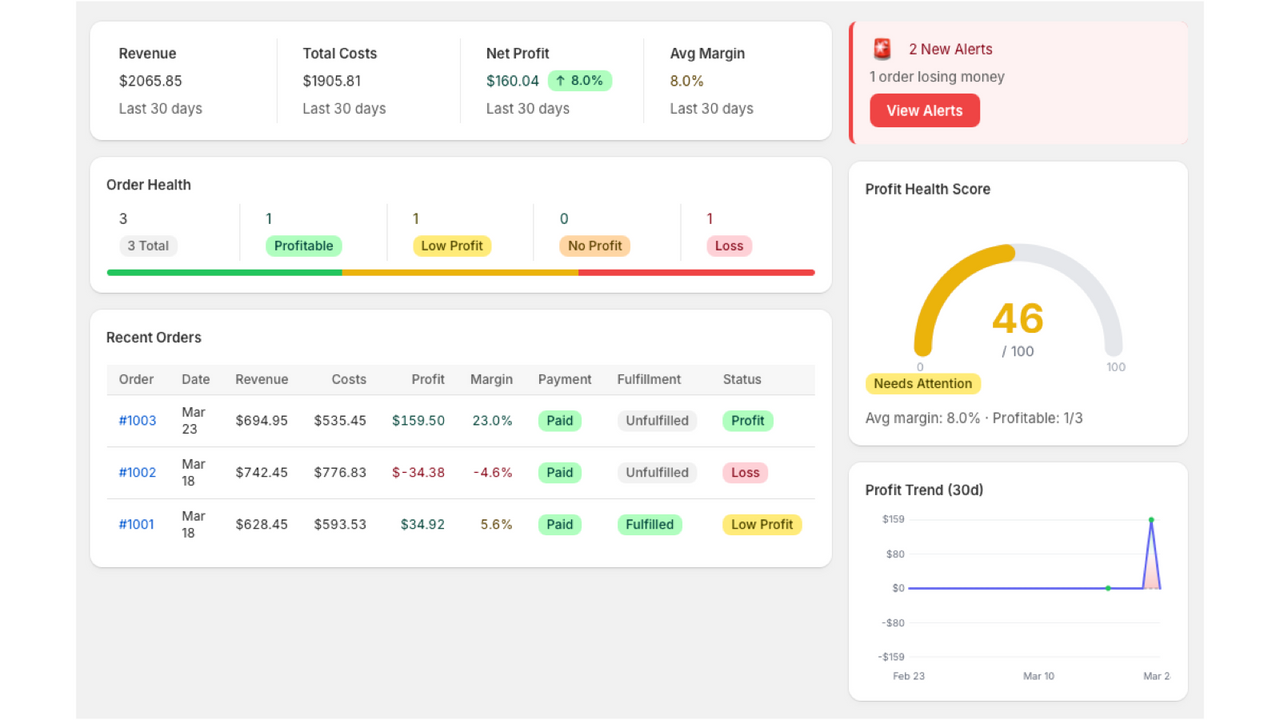
Dashboard
A 90-day profit view for revenue, net profit, order health, alerts, and margin trends.
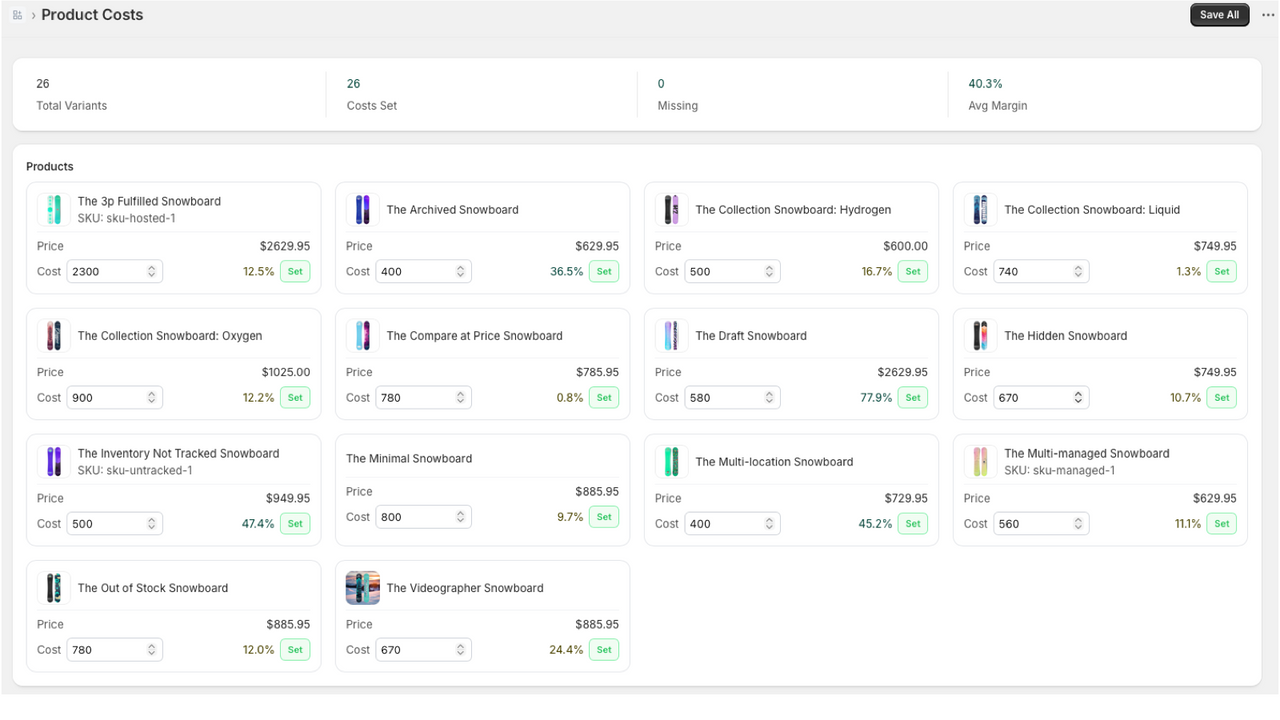
Product Costs
Set COGS once so every synced order calculates profit from real product costs.
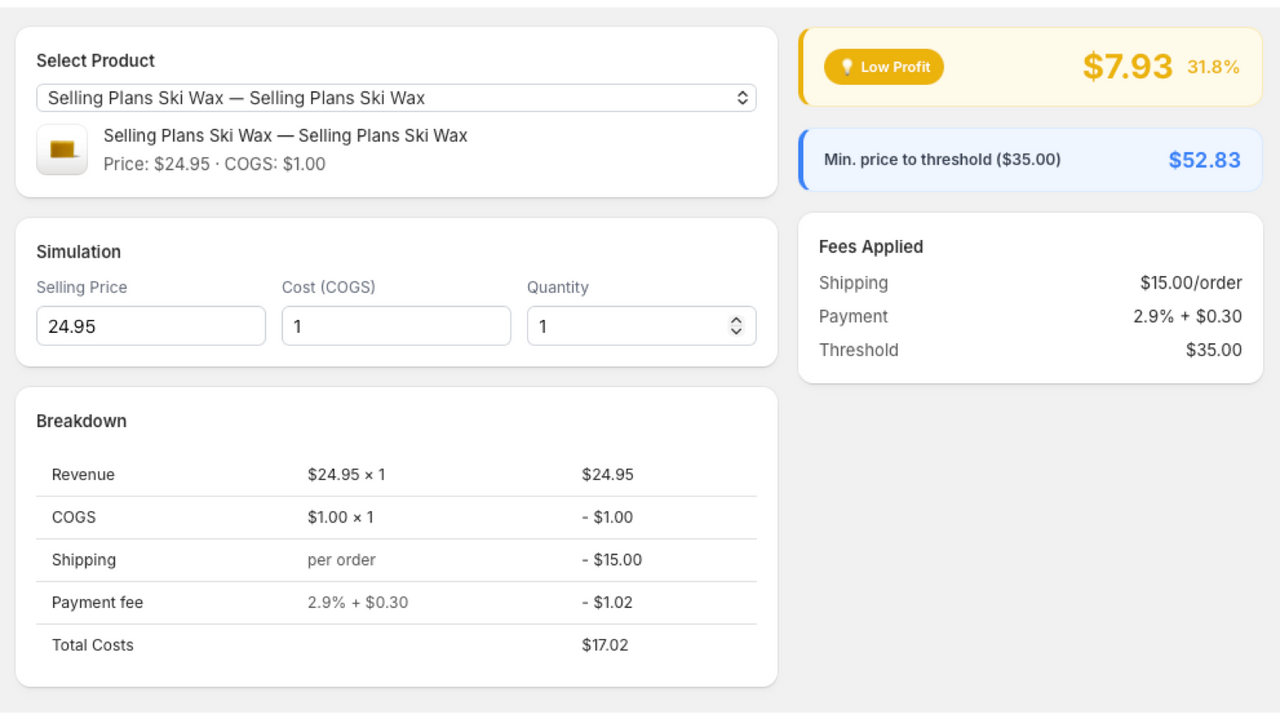
Price Simulator
Preview COGS, shipping, payment fees, and target profit before changing a price.
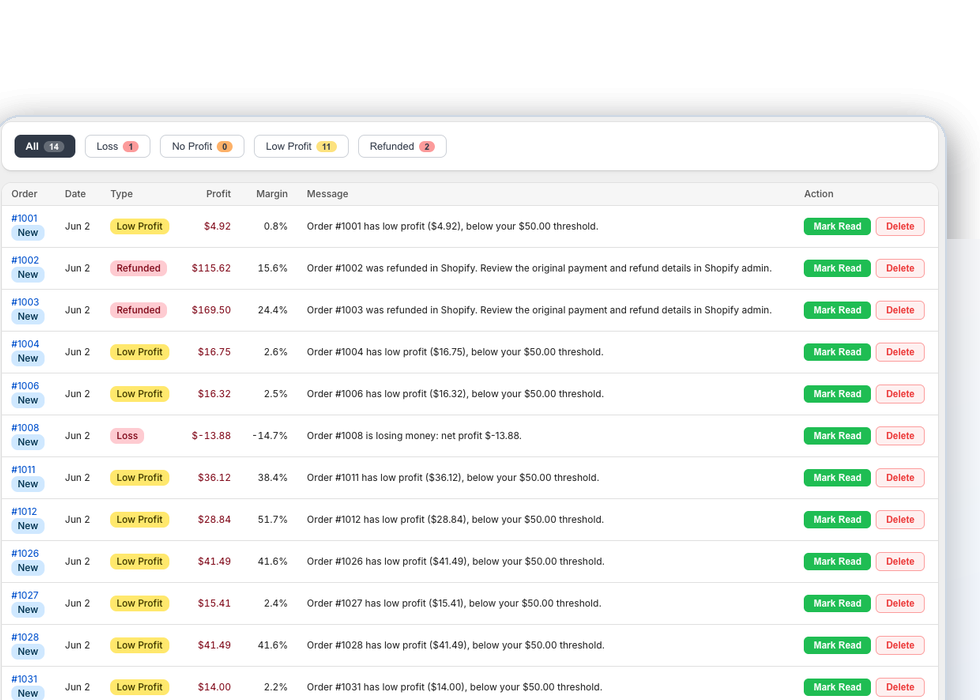
Alerts
Review low-profit, no-profit, loss, pending, and refunded order alerts without rebuilding a spreadsheet.
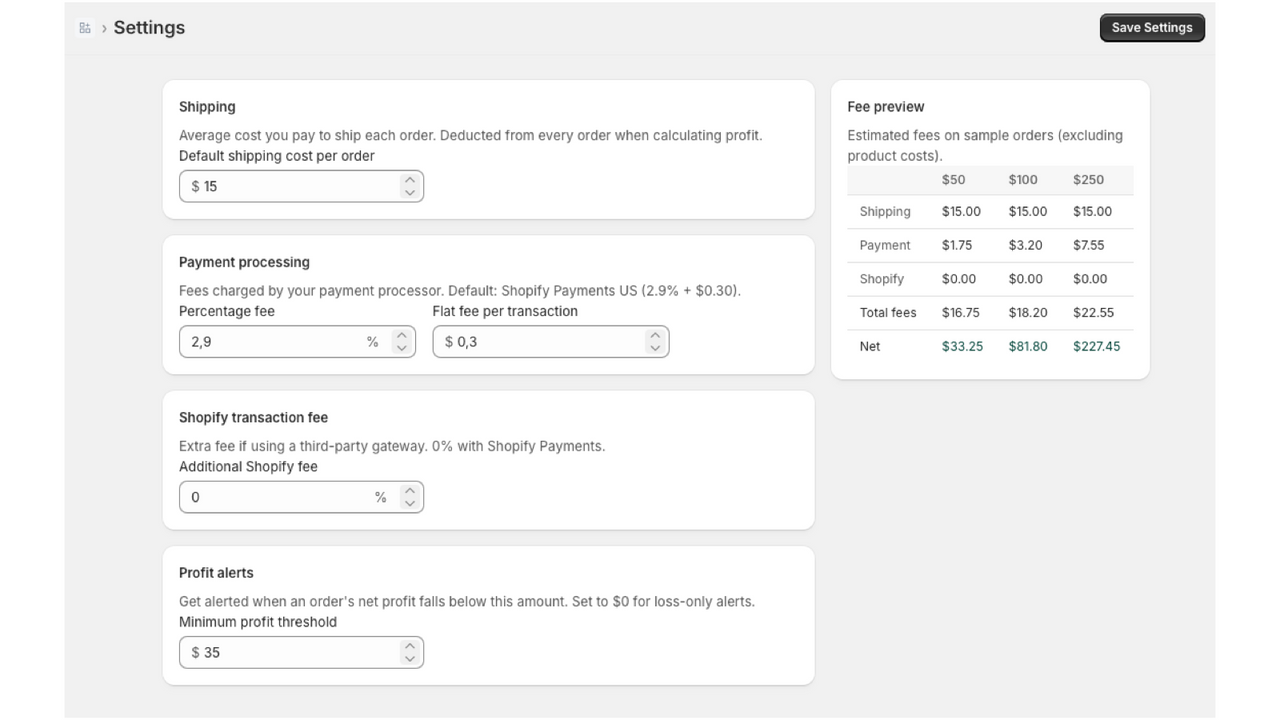
Settings
Tune default shipping costs, payment fees, Shopify fees, and profit thresholds for your store.
From sale to net profit
Know whether the next fix is pricing, shipping, COGS, or refunds.
When an order misses your threshold, Profit Guard turns the breakdown into a clear next move: update COGS, adjust shipping, review refunds, change discount rules, or reprice the product in the simulator.
Start tracking order profit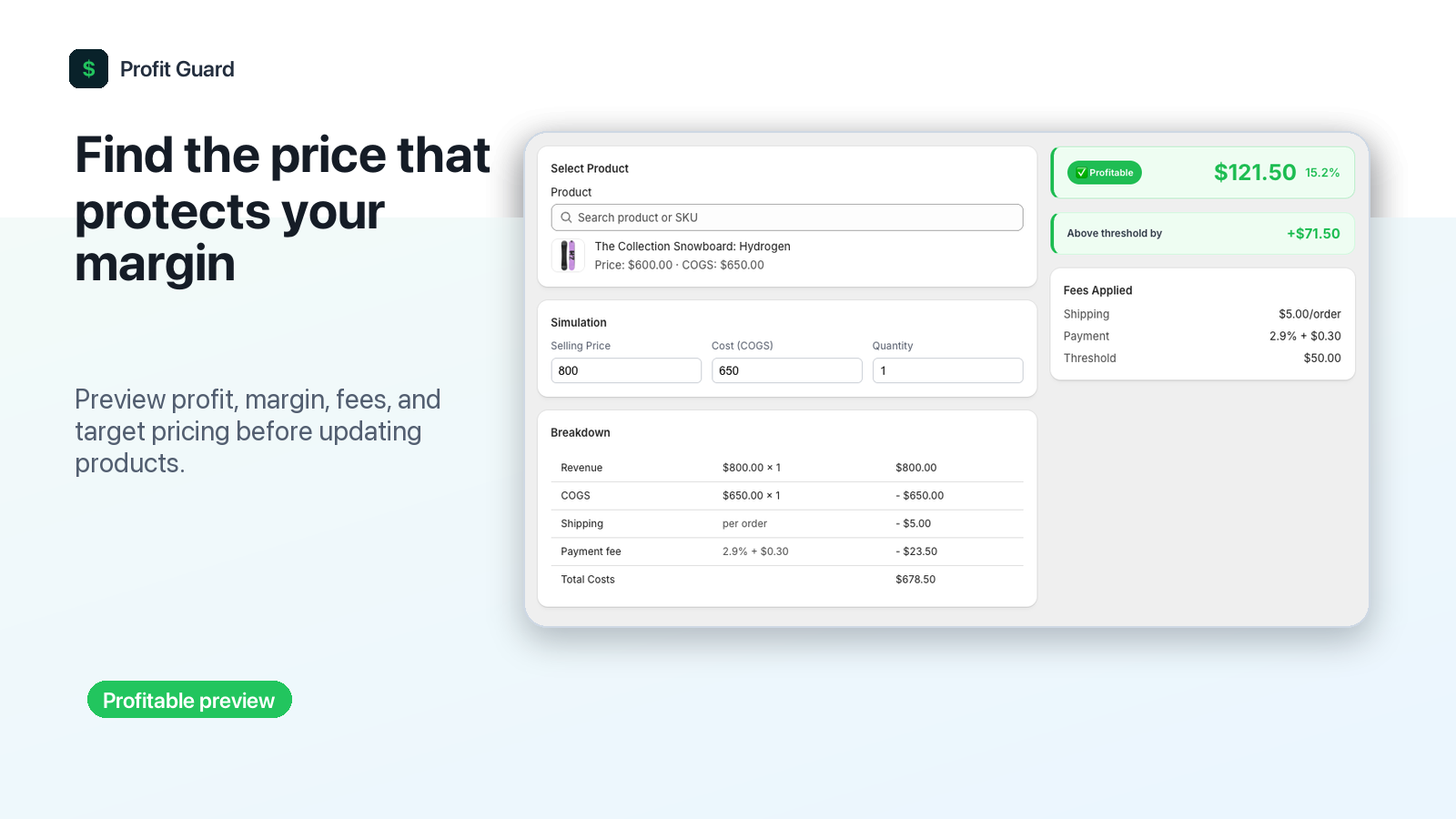
Why profit-first tracking wins
Revenue dashboards tell you what sold. Profit Guard tells you what was worth selling.
Merchant questionRevenue-only viewProfit Guard
Did this order make money?Manual spreadsheet workCalculated automatically
Which cost changed the margin?Usually hiddenBroken out by cost type
Should I intervene now?After-the-fact reviewFlagged as orders arrive
What happened after refunds?Separate manual checkIncluded in order profit context
Shopify profit questions
Built for the margin checks merchants run every week.
Profit Guard brings Shopify profit tracking, COGS tracking, margin calculations, and order profit alerts into one workflow for ecommerce operators who need a clearer answer than revenue alone.
Shopify COGS tracking
Track product and variant costs so every order uses real cost of goods sold instead of rough averages.
Order profit alerts
Spot low-profit, no-profit, loss, pending, and refunded orders before margin leaks become normal.
Margin calculator
Combine COGS, shipping, payment processing, Shopify fees, discounts, and refunds into one net profit view.
Price simulator
Test selling prices, shipping assumptions, and fee settings before changing prices or launching discounts.
Workflow
Go from rough estimates to profit-aware Shopify decisions.
Install from Shopify
Add Profit Guard from the Shopify App Store and open it inside your Shopify admin.
Add your COGS
Enter product or variant costs, then tune shipping, payment fee, and Shopify fee assumptions.
Review true profit
Sync orders, watch order health, and act when a sale drops below your threshold.
Pricing
Start free. Upgrade when profit tracking becomes a daily habit.
Free
$0
For stores getting started
- 30 tracked orders per month
- Dashboard and analytics
- Product costs and order profit breakdowns
- Basic profit alerts
Pro
$19
Per month after trial
- 100 tracked orders per month
- Real-time profit alerts
- Price simulator
- CSV import, export, and reports
- Health score and trend chart
Max
$39
For scaling stores
- Unlimited tracked orders
- Real-time profit alerts
- Price simulator and CSV workflows
- Priority email support
FAQ
Questions Shopify merchants ask before tracking true profit.
What is a Shopify profit tracker?
A Shopify profit tracker calculates what each order actually earns after costs like COGS, shipping, payment processing, discounts, refunds, and Shopify transaction fees. Profit Guard focuses on order-level net profit, order health, and alerts.
Does Profit Guard replace Shopify Analytics?
No. Shopify Analytics is useful for revenue and store performance, while Profit Guard adds cost-aware profit calculations so you can see whether orders are making money.
Can I track cost of goods sold for variants?
Yes. Profit Guard supports product and variant-level COGS, which helps merchants with bundles, sizes, colors, and supplier-specific costs keep margin calculations accurate.
When should I use profit alerts?
Use profit alerts when discounts, shipping costs, product costs, or processing fees can turn a healthy-looking order into a low-margin or negative-margin order.
Does Profit Guard sync historical orders?
Yes. Profit Guard can sync up to 90 days of recent orders so merchants can review profit trends soon after installing the app.
Is there a free plan?
Yes. Profit Guard has a free plan for stores getting started, plus Pro and Max plans with a 7-day free trial handled through Shopify App Pricing.
Protect your margin